Motion design has evolved from a nice-to-have into a fundamental part of modern digital experiences. In 2026, users expect interfaces that respond, react, and delight — whether it is a subtle micro-interaction on a button, a Lottie animation loading in your app, or a full 3D character animated from a text prompt. The tools below represent the best of what is available today, spanning CSS libraries, professional motion design platforms, AI-powered animation, and everything in between.
1. Rive
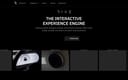
Rive is the gold standard for real-time interactive animation. Unlike traditional timeline-based tools that export video files, Rive lets you create vector animations that respond to user input — hover, click, drag, and more. Its state machine system is revolutionary: you visually map out animation states and transitions using a flowchart interface, making complex interactive animations feel simple to build. Rive exports natively to Web, iOS, Android, Flutter, React Native, and game engines, making it the most versatile animation platform for interactive design.
2. GSAP
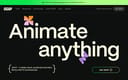
GSAP remains the professional standard for web animation. Used by Google, Apple, and Samsung, it is a JavaScript library that delivers silky-smooth, high-performance animations with precise timeline control, easing, and sequencing. Its ScrollTrigger plugin enables stunning scroll-driven narratives, and its staggering, morphing, and physics-based motion capabilities are unmatched. GSAP is the go-to when you need pixel-perfect control over web animations at scale.
3. Lottiefiles
Lottiefiles is the central hub for Lottie animations, the lightweight JSON-based format that renders vector animations natively across platforms. With a marketplace of thousands of free and premium animations, Lottiefiles makes it easy to find, test, and integrate animations into your projects. Its suite of tools includes a player, editor, and real-time preview, making it indispensable for any team using Lottie in production.
4. Lottie Creator
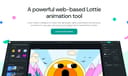
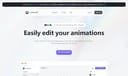
Built by the LottieFiles team, Lottie Creator is the official browser-based tool for making Lottie animations. It is designed for speed and simplicity: import an SVG, apply preset animations (bounce, fade, slide, morph), and export a ready-to-use Lottie JSON. No animation experience needed — it is the fastest way to add motion to icons, illustrations, and UI elements.
5. Jitter
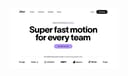
Jitter is a web-based motion design tool built for modern teams. Its seamless Figma integration sets it apart: import your static designs, add motion, and export as video, GIF, or Lottie. Jitter is perfect for UI animation, social media content, and marketing videos. The interface is clean and intuitive, making motion design accessible to non-animators while powerful enough for professionals.
6. SVGator
SVGator is the premier tool for animating SVG files without writing code. Import any SVG and use a timeline interface to animate position, rotation, scale, opacity, stroke dashes, and path morphing. Export as standalone SVG with embedded CSS animations. It bridges the gap between static vector graphics and dynamic web animation, ideal for icons, illustrations, and UI elements.
7. Fable
Fable is a browser-based motion design tool that combines vector and raster design tools with a timeline-based animation system. It runs entirely in the browser — no software installation required. Fable supports multi-format export including video, GIF, and Lottie, making it a strong alternative to desktop-heavy tools like After Effects for motion designers who want to work from anywhere.
8. Mootion
Mootion represents the cutting edge of AI-powered animation. Describe any human action in natural language — a person running, dancing, jumping — and Mootion generates realistic 3D skeletal animation. Export to FBX, GLB, and other formats for games, films, and interactive projects. No motion capture hardware needed. This is a glimpse into the future of animation production.
9. Animista
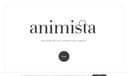
Animista is a free library of ready-to-use CSS animations. Browse by category (entrances, exits, attention-seekers), customize duration and easing, and copy the generated CSS code. It is perfect for web developers who want to add polished motion to their sites without writing keyframes from scratch. Simple, fast, and effective.
10. AnimXYZ
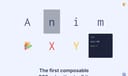
AnimXYZ is a lightweight CSS animation framework built on utility classes. Instead of writing custom keyframes, you combine classes like xyz-fadeIn and xyz-slideUp directly in your HTML. It uses CSS variables for customization and works with any framework. AnimXYZ is the fastest way to add consistent, composable animations to a web project.
11. OpenShot
OpenShot is a free, open-source video editor with powerful animation capabilities. Its keyframe animation system lets you animate position, scale, rotation, and opacity of any element on the timeline. With multi-track editing, unlimited layers, and a clean drag-and-drop interface, OpenShot is a solid choice for video-based motion graphics and editing.
12. D-ID
D-ID uses AI to animate still photos into realistic talking avatar videos. Upload a photo and an audio file, and D-ID generates natural lip-sync, head movements, and facial expressions. It is used for educational content, marketing videos, virtual presenters, and personalized communication. The quality of facial animation is remarkably natural.
13. Blazy Studio
Blazy Studio converts Figma prototypes into animated product videos instantly. Paste a Figma link, and it captures your prototype interactions frame by frame, outputting smooth video or GIF. It is an essential tool for designers who want to showcase their work in motion without learning complex animation software.
14. Chat Animator
Chat Animator creates realistic animated chat message videos for social media and marketing. Customize message bubbles, sender names, avatars, and typing indicators. Export as video or GIF. It is a niche tool but incredibly effective for creating engaging social content that simulates real conversations.
15. Epic Easing
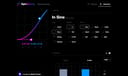
Epic Easing is a visual CSS easing curve generator. Design custom timing functions using an intuitive curve editor, preview them in real-time, and export code for CSS, Swift, or Objective-C. It is an essential companion for any animator who cares about the feel of their motion.
16. Blob Animation
Blob Animation is a free tool for generating organic SVG blob shapes with smooth morphing animations. Customize colors, complexity, and animation speed. Export as SVG code ready for web projects. It is perfect for adding organic, fluid visuals to backgrounds, illustrations, and UI accents.
17. SpaceTypeGenerator
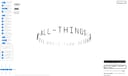
SpaceTypeGenerator creates dynamic kinetic typography animations. Choose from various animation scenes and effects — match cuts, easing, bending, boxing — and customize text, fonts, and colors. Export as video for social media, presentations, and creative projects. Typography in motion has never been easier.
18. LottieEditorX
LottieEditorX is a free online tool for inspecting and editing Lottie JSON files. View layer structure, delete unwanted layers, and make quick adjustments — all in the browser. It is a handy utility for developers and designers who need to tweak Lottie animations without opening full animation software.
Motion design in 2026 is more accessible than ever. Whether you need a simple CSS transition, a Lottie icon animation, or AI-generated 3D character motion, there is a tool that makes it possible. The best approach is to combine them: use Rive for interactive UI, Lottie for icons, GSAP for narrative web experiences, and Mootion for 3D character work. The future of animation is not about choosing one tool but orchestrating several to create truly engaging digital experiences.