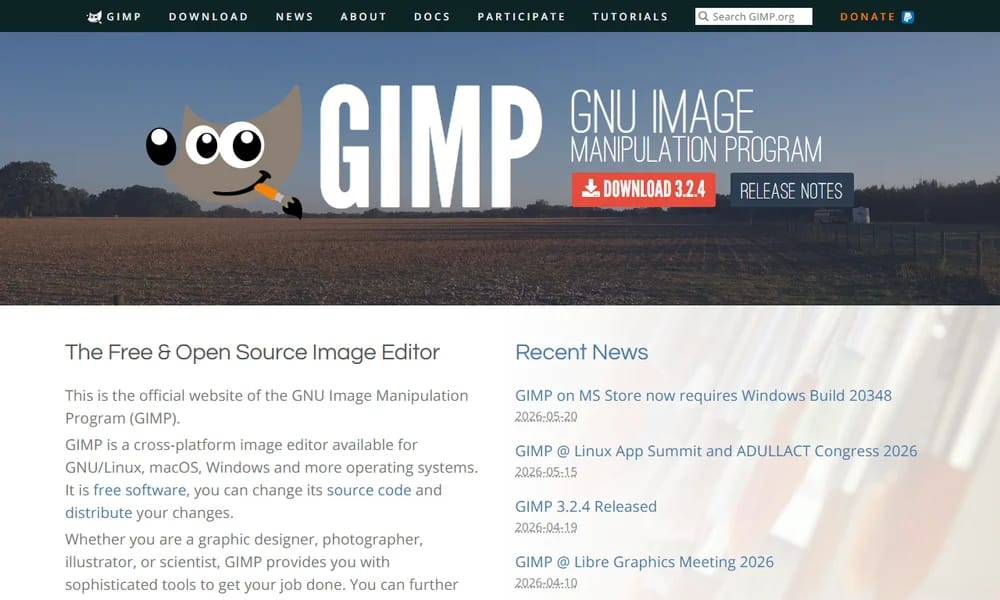
GIMP
The free and open-source image editor — a powerful Photoshop alternative for photo retouching and image composition
Product Overview
GIMP (GNU Image Manipulation Program) is a free and open-source raster graphics editor used for photo retouching, image composition, and image authoring. It offers capabilities comparable to Adobe Photoshop including layers and masks, color management, advanced selection tools, brushes, filters, and extensive plugin support. Features include customizable interface, scripting via Python/Scheme/Lua, RAW image processing via UFRaw, CMYK color support, and HDR imaging. Available on Windows, macOS, and Linux with a large community of contributors and tutorials.
Best For
Photographers, designers, and illustrators who need professional image editing capabilities without the cost of Adobe Creative Cloud.
Key Features
- Layers, masks, and channels
- Advanced selection tools (lasso, paths, foreground select)
- Full color management support
- Extensible via plugins and scripts (Python/Scheme/Lua)
- Customizable interface with themes
- RAW image processing support
- Over 100 standard filters and effects
Pros
- +Completely free and open source
- +Photoshop-level capabilities
- +Cross-platform support
- +Large plugin ecosystem
- +Active development community
Cons
- -Interface shows its age
- -Steep learning curve for new users
- -Non-destructive editing limited
- -CMYK support not as refined as Photoshop
- -Performance can lag with large files
/// SPECS
- Pricing:Free
- Platform:Mac / Windows / Linux
- Free and open source (GPL)
Webstudio
Open-source visual development platform — design and build websites visually, export clean code
Abstract
Git-style version control and collaboration for design files — bring engineering workflows to design

Graphite
Next-gen node-based vector graphics editor — powerful, procedural, and browser-ready
axe DevTools
Industry-standard web accessibility testing — find and fix accessibility issues in your designs and code

Balsamiq
Fast, focused wireframing tool that keeps conversations on structure — not pixels

Axure RP
The most powerful UX prototyping tool for complex, data-driven interactions — no code required

Inkscape
Professional-quality vector graphics editor — free and open source
Tldraw
Open-source infinite canvas for drawing and whiteboarding — build collaborative visual tools

Linear
Fast, streamlined issue tracking and project management — built for modern product teams

Pitch
Modern presentation platform for collaborative storytelling.