
Product Overview
Pixel Hey is a free online tool that converts any image into pixel art style. Adjust precision, gap size, and corner radius to fine-tune your pixelated results. It supports real-time preview and CSS box-shadow export, making it easy to use pixel art in web projects. No sign-up required, works entirely in the browser.
Best For
Best for designers and developers who need quick pixel art conversions for web projects
Key Features
- Convert images to pixel art instantly
- Adjustable pixel precision and gap settings
- Customizable corner radius for rounded pixels
- Real-time preview while editing
- CSS box-shadow export for web use
- Completely free with no registration needed
Pros
- +Simple and intuitive interface
- +No account or sign-up required
- +Multiple export options including CSS
Cons
- -Limited to pixel art conversion only
- -No batch processing support
/// SPECS
- Pricing:Free
- Platform:Web
堆友 / D.design
Alibaba's 3D scene and avatar editor for everyone
Niji Journey
AI image generator specialized in anime and illustration

Bing Image Creator
Free AI image generation powered by DALL-E
LogoCreator
Free open-source AI logo generator powered by Flux

Mokker AI
AI product photo background generator
UXie.io
Free design tool collection for developers
Aime
AI-generated avatars by Jike community

Meiye Works
Chinese online portfolio platform for designers
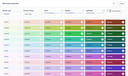
Nord Color Generator
UI color palette generator based on Nord design system
Tweetlet
Beautiful tweet screenshot generator for social media

Shrink Media
Online image compression tool that preserves quality
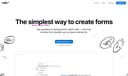
Tally
Free form builder with a Notion-like editing experience
PxEvapo
Online image resizing and compression tool
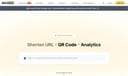
Picsee
Screenshot annotation and sharing tool

Ant Design X
Conversational UI component library by Ant Group
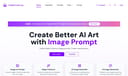
ImagePrompt
Free AI image-to-prompt generator
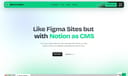
Figma to Website
Publish live websites from Figma designs

AI Emojis
Generate unique emojis with artificial intelligence
NightCafe
AI art generation platform with multiple models
LOGGGOS
Curated logo design inspiration gallery