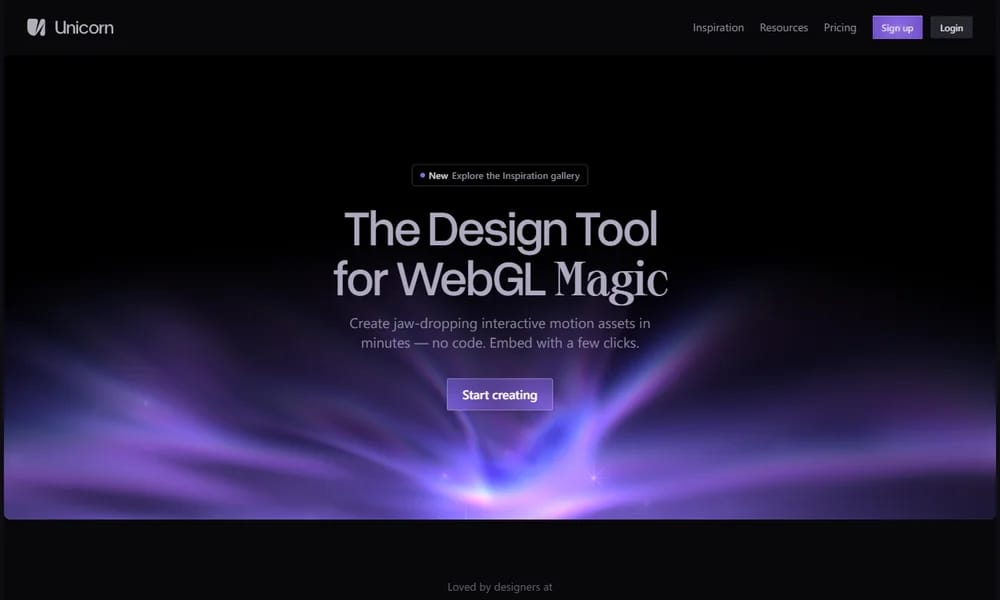
Product Overview
Unicorn Studio is a no-code WebGL platform that lets designers and developers create stunning animated and interactive 3D scenes directly in the browser. Instead of writing shader code, you build scenes by stacking layers on a spatial canvas — similar to Figma or Photoshop — making WebGL effects accessible to everyone. With over 75 configurable shader effects ranging from utility filters to centerpiece animations, Unicorn Studio supports images, shapes, text, videos, and 3D models. You can combine effects, control motion and interactivity, and export as images, videos, or lightweight embeddable code (~46kb gzipped). The platform also supports runtime variables for custom animations and events. Whether you are creating dynamic backgrounds, interactive banners, or animated social media content, Unicorn Studio bridges the gap between raw shader programming and rigid preset templates.
Best For
Best for designers and developers who want to create WebGL effects and animations without writing shader code
Key Features
- No-code layer-based canvas for WebGL scenes
- 75+ configurable shader effects and filters
- Support for images, shapes, text, videos, and 3D models
- Built-in motion and interactivity controls
- Export as images, videos, or embeddable code
- Runtime variables for custom animation logic
- Lightweight ~46kb gzipped runtime for production
- Custom shader creation for advanced users
Pros
- +No coding required for complex WebGL effects
- +Familiar layer-based workflow like Figma
- +Large library of 75+ ready-to-use effects
- +Lightweight embeddable output
- +Real-time preview while editing
Cons
- -Requires WebGL2 compatible browser
- -Best performance in Chrome
- -Limited 3D modeling capabilities
- -Steep learning curve for effect composition
/// SPECS
- Pricing:ProFree
- Platform:Web
- Free tier available, paid for advanced features

Muse Pro
AI-powered art studio for iPad

Jam
One-click bug reports with all the info developers need
Bezel
App Store screenshot mockup studio for Apple devices

Studio Design
AI-powered web design tool with smart features

PixelLab
AI pixel art generator with custom styles

Sky Office
Virtual design office for remote creative teams

TikTokVoice
Text-to-speech AI voiceover with TikTok voices

TableConvert
Online table format converter for any data

Chinese Font Plan
Free open-source Chinese webfont library
LOGGGOS
Curated logo design inspiration gallery