Adobe Express
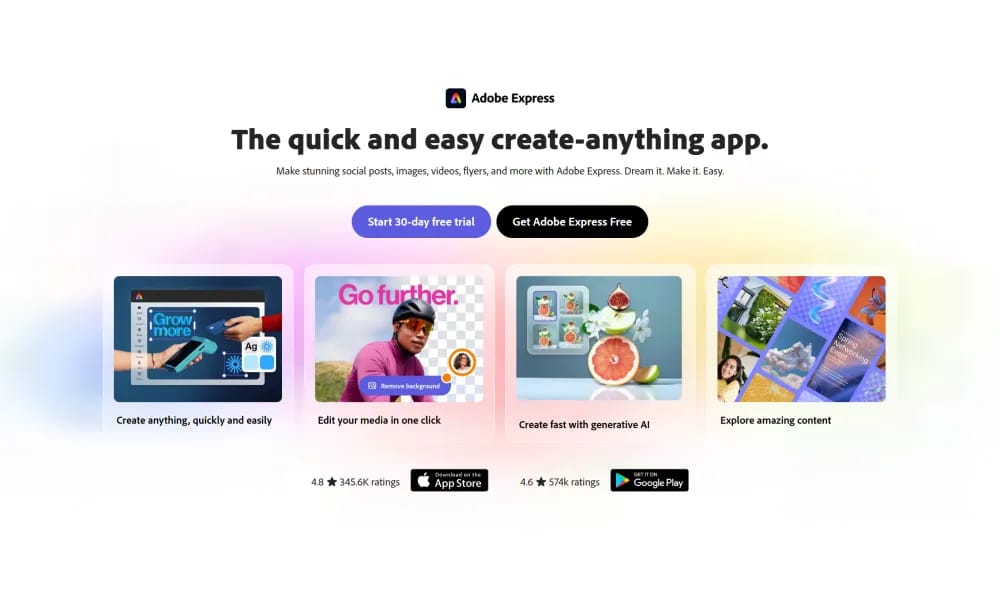
Adobe Express is a free, AI-powered design, photo, and video tool that enables quick creation of on-brand content for teams, enterprises, and students, with seamless integrations and commercial-safe AI features.
Product Overview
Adobe Express is a versatile, all-in-one creative app from Adobe that simplifies designing, editing photos, and creating videos for social media, blogs, ads, and more, even for beginners, by leveraging commercially safe AI and a vast library of templates and assets. It focuses on effortless, on-brand content production with real-time collaboration, making it ideal for non-designers to achieve professional results without complex software. AI Assistant (Beta): Prompt-based creation and editing of images, videos, and designs while preserving specific elements; integrated with Firefly for generative AI tools like text-to-image and background removal. Templates and Assets: Thousands of customizable templates, royalty-free stock photos, videos, fonts, and icons for rapid starts. Video and Photo Editing: Drag-and-drop video tools with bulk editing, self-recording, and one-click resizing/exporting to platforms like Vimeo; advanced photo effects and syncing with Photoshop. Brand Kits (Premium): Apply consistent fonts, colors, logos, and locked elements across projects for team alignment. Integrations: Seamless with Creative Cloud, Google Workspace, and social platforms for file syncing and direct sharing. Pricing and Accessibility Free Plan: Basic tools, templates, and limited AI access; personal use with watermarks on exports. Premium Plan: $9.99/month or $99.99/year – Unlimited access to AI features, brand kits, advanced editing, and no watermarks; includes 100GB storage. Teams/Enterprise: Custom pricing starting at $29.99/user/month for collaboration, admin controls, and security features. Web-based with mobile apps for iOS and Android; globally accessible on any device, supporting real-time collaboration and multilingual interfaces (English primary, with expansions).
Best For
Premium Plan: $9.99/month or $99.99/year – Unlimited access to AI features, brand kits, advanced editing, and no watermarks; includes 100GB storage. Teams/Enterprise: Custom pricing starting at $29.99/user/month for collaboration, admin controls, and security features. Web-based with mobile apps for iOS and Android; globally accessible on any device, supporting real-time collaboration and multilingual interfaces (English primary, with expansions).
Key Features
- AI Assistant (Beta): Prompt-based creation and editing of images, videos, and designs while preserving specific elements; integrated with Firefly for generative AI tools like text-to-image and background removal.
- Templates and Assets: Thousands of customizable templates, royalty-free stock photos, videos, fonts, and icons for rapid starts.
- Video and Photo Editing: Drag-and-drop video tools with bulk editing, self-recording, and one-click resizing/exporting to platforms like Vimeo; advanced photo effects and syncing with Photoshop.
- Brand Kits (Premium): Apply consistent fonts, colors, logos, and locked elements across projects for team alignment.
- Integrations: Seamless with Creative Cloud, Google Workspace, and social platforms for file syncing and direct sharing.
Pros
- +Free to use
- +AI-powered automation
- +Real-time collaboration
- +Cloud-based, no installation needed
Cons
- -Results may require manual refinement
- -Accuracy depends on input quality
/// SPECS
- Pricing:ProFree
- Free tier available, premium features paid

IconKitchen
Online tool for multi-platform app icon generation.

UXfol
UXfolio is a no-code platform that empowers UX/UI designers to build and publish professional, case study-focused portfolios effortlessly using customizable templates and intuitive tools.

Semplice
Semplice is a no-code WordPress portfolio builder for designers, enabling custom, animated websites via an intuitive grid editor without templates or coding.

Snappa
Snappa is an intuitive graphic design tool that enables non-designers to create professional social media graphics, blog images, and ads quickly using templates, stock assets, and simple editing features.

Kapwing
Online video editor and AI toolkit for easy social and marketing video creation.

Clipchamp
Microsoft AI video editor for quick social and professional video creation.
MagicPath
MagicPath.ai is an AI-powered no-code design tool that turns plain-language prompts into high-quality UI prototypes on an infinite canvas, enabling rapid app and website concepting without design expertise.

affinity
Affinity is Canva's relaunched free all-in-one creative suite unifying Designer, Photo, and Publisher into a customizable app with native AI integrations for professional workflows.

Lovart
Lovart.ai is the world's first AI design agent that automates the full design journey from concept to outputs like images, videos, and 3D, enabling creators to bring ideas to life instantly without wait times or limits.

Descript
Descript is an AI-powered video and podcast editor that allows users to edit audio and video by simply typing on a transcript, with tools like Underlord for automated script generation, design application, and visual enhancements to streamline content creation.