Orcanva
Free open-source design editor for thumbnails and social images
Product Overview
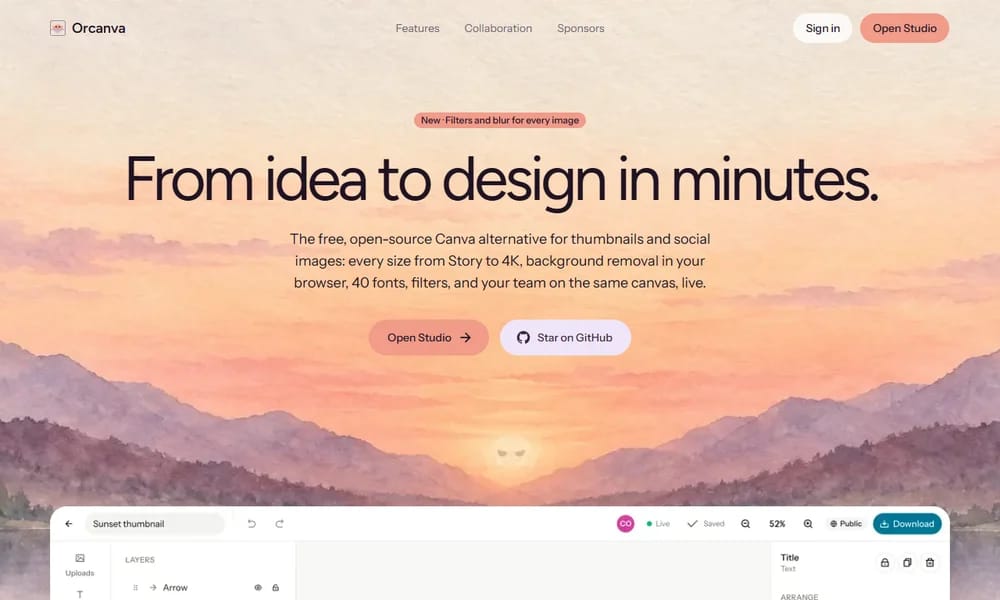
Orcanva is a free, open-source online design editor built around YouTube thumbnails and social media graphics, offered as an alternative to Canva and remove.bg under the MIT license. You pick a canvas size from presets spanning Instagram Stories to 4K, drop in a photo, and start typing — on-canvas text editing with stroke, shadow, and highlight comes built in, along with 40 curated Google Fonts. Background removal is one click and runs entirely in the browser on an open-source model — no API keys, no per-image fees. Layered graphics include shapes, arrows, and gradients with a drag-to-reorder layer panel, and 11 filters plus brightness, shadow, warmth, grain, and blur adjustments polish images before export. A distinctive extra is AI metadata removal, which strips C2PA content credentials, "AI generated" labels, prompts, and GPS data from images. Exports come as PNG, JPG, or WebP at exact pixel sizes, at 1x or 2x. Designs can be made public for link-based live collaboration — anyone with the link can edit together without logging in, while private designs stay private. The site also ships a set of standalone free tools: magic eraser, image upscaler, AI metadata remover, YouTube thumbnail preview, and size references for every major social platform. Everything is free with the source code on GitHub.
Best For
Best for YouTube creators and social media makers who need fast, free thumbnail design with built-in background removal
Key Features
- Canvas presets from Instagram Story to 4K, plus custom sizes
- One-click background removal running in the browser
- 40 curated Google Fonts with stroke, shadow, and highlight
- Shapes, arrows, and gradients with drag-to-reorder layers
- 11 filters plus brightness, shadow, warmth, grain, and blur
- AI metadata removal for C2PA, prompts, and GPS data
- Pixel-exact PNG, JPG, and WebP export at 1x or 2x
- Live collaboration via public links, no login required
- Standalone tools: magic eraser, upscaler, thumbnail preview
- Free and open source under MIT
Pros
- +Genuinely free with no per-image background removal fees
- +Background removal works offline inside the browser
- +Simple on-canvas text editing tuned for thumbnails
- +Link-based collaboration without accounts
- +Handy extras like AI metadata removal and thumbnail preview
Cons
- -Focused on thumbnails and social images, not complex layouts
- -No team workspace, brand kits, or template marketplace at Canva's scale
- -Fewer assets and fonts than commercial editors
- -Feature set is still young compared with mature editors
/// SPECS
- Pricing:Free
- Platform:Web
- Free and open source under the MIT license

Linear
Fast, streamlined issue tracking and project management — built for modern product teams

GIMP
The free and open-source image editor — a powerful Photoshop alternative for photo retouching and image composition

Balsamiq
Fast, focused wireframing tool that keeps conversations on structure — not pixels