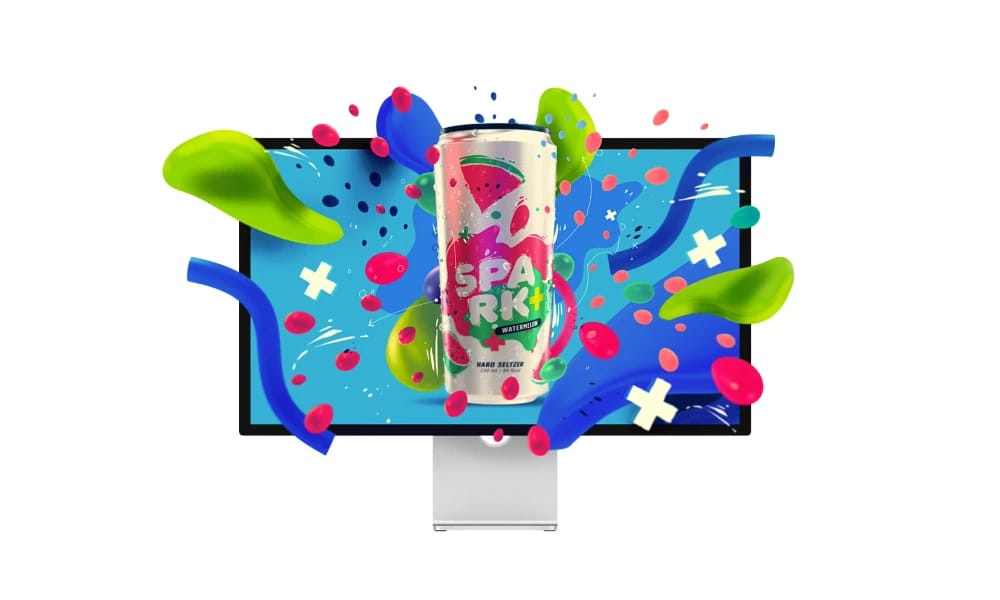
Product Overview
Affinity Designer is an award-winning professional vector graphics software that seamlessly blends top-tier vector design tools with powerful raster editing capabilities within a single application. Like its Adobe counterpart, Illustrator, it is available for a one-time purchase with no subscription. Seamless Vector & Raster Workflow: This is Designer's killer feature. It has two dedicated "Personas": the Designer Persona (for vector) and the Pixel Persona (for raster). You can switch between them with a single click in the same file to add rich pixel textures or make fine adjustments to your vector illustrations without ever leaving the app. Blazing-Fast Performance & Live Previews: Designer can handle complex vector files with tens of thousands of objects at incredible speeds. Panning and zooming are always silky smooth. All transforms, effects, and adjustments are previewed in real time with zero lag. Professional-Grade Vector Toolkit: It has everything a professional designer needs, including a rock-solid pen tool, advanced grids and guides, unlimited artboards, symbol syncing (components), and powerful boolean and contour tools. Affinity Designer is more than just a cost-effective alternative to Adobe Illustrator; it offers unprecedented creative flexibility through its innovative dual-persona workflow. For illustrators and designers who want to master both vector and raster creation within a single, fluid, subscription-free application, it is an impeccable choice.
Best For
Affinity Designer is more than just a cost-effective alternative to Adobe Illustrator; it offers unprecedented creative flexibility through its innovative dual-persona workflow. For illustrators and designers who want to master both vector and raster creation within a single, fluid, subscription-free application, it is an impeccable choice.
Key Features
- Seamless Vector & Raster Workflow: This is Designer's killer feature. It has two dedicated "Personas": the Designer Persona (for vector) and the Pixel Persona (for raster). You can switch between them with a single click in the same file to add rich pixel textures or make fine adjustments to your vector illustrations without ever leaving the app.
- Blazing-Fast Performance & Live Previews: Designer can handle complex vector files with tens of thousands of objects at incredible speeds. Panning and zooming are always silky smooth. All transforms, effects, and adjustments are previewed in real time with zero lag.
- Professional-Grade Vector Toolkit: It has everything a professional designer needs, including a rock-solid pen tool, advanced grids and guides, unlimited artboards, symbol syncing (components), and powerful boolean and contour tools.
Pros
- +Free to use
- +Unique illustration styles
- +Customizable illustrations
- +Streamlines workflow
Cons
- -Subscription required for full access
- -May have a learning curve
- -Free tier has limited functionality
/// SPECS
- Pricing:ProFree
- Free tier available, premium features paid

Artboard Studio
Artboard Studio is an online design tool focused on mockups and product presentations. It offers a rich collection of 3D mockups, design elements, and animation features.
Divhunt
The Extendable No-Code Web Platform
Jitter
The Simple Motion Design Tool
Affinity Photo
The Professional, No-Subscription Photo Editor
CorelDRAW
The Time-Honored Professional Graphics Suite
Cinema 4d
The 3D Powerhouse for Motion Graphics

Spline
The Easy Way to Create 3D for the Web

Krita
The Professional Open-Source Painting Studio for Artists
Canva
The Online Design Platform for Everyone
Blender
The Open-Source 3D Creation Suite