Product Overview
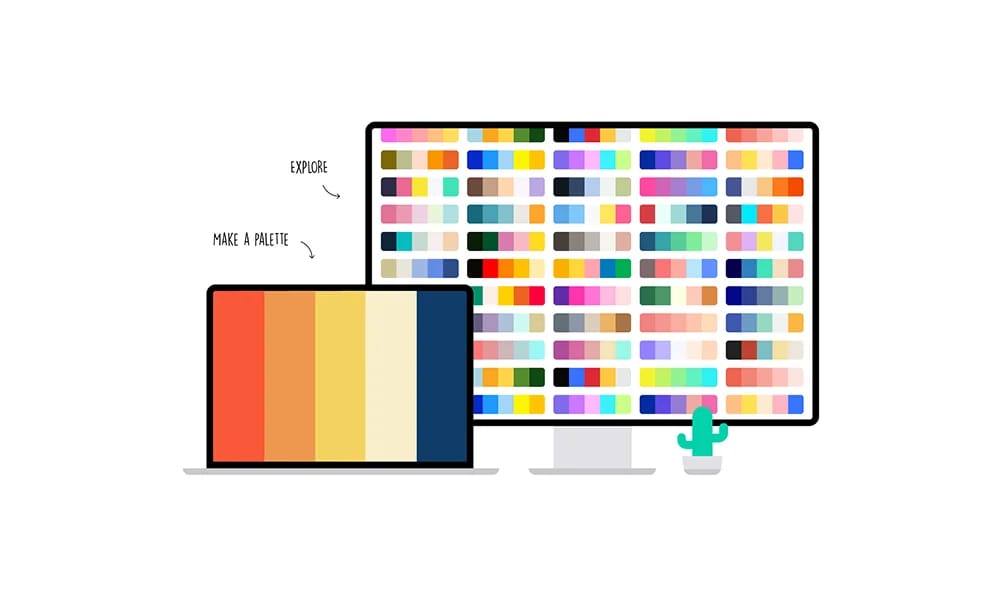
Coolors is an extremely popular, powerful, and super-fast online color scheme generator. It is designed to make the process of creating color palettes quick, easy, and fun, helping designers, artists, and developers effortlessly create beautiful and harmonious color schemes. Generate with a Single Keypress: This is the core and most famous feature of Coolors. You simply press the spacebar, and it instantly generates a brand new, harmonious five-color palette for you. The process is as fun as a game, allowing you to explore countless possibilities in seconds and quickly spark color inspiration. Powerful Color Editing and Adjustment: Lock Colors: When you find a color you love, you can "lock" it. Then, as you continue to press the spacebar, Coolors will generate other colors that work well with your locked choice. Fine-Tune Colors: You can easily adjust the hue, saturation, and brightness of any color, or input specific color codes like HEX or RGB. Smart Suggestions: It can also intelligently suggest alternative shades or similar colors for any color you've selected. Extract Palette from an Image: This is another incredibly powerful feature. Simply upload a photo or illustration you like, and Coolors will automatically analyze it and extract the main colors to generate a palette based on that image. Explore & Community: Coolors has a massive community library of color palettes. You can browse millions of trending schemes created and shared by users worldwide, searching by color, style, or keyword to gather inspiration. A Comprehensive Ecosystem of Tools: Beyond the core generator, Coolors also offers a suite of useful utilities, including a color blindness simulator, a gradient generator, and a color contrast checker. It also provides a Figma plugin, Adobe add-ons, and mobile apps, making its color tools available everywhere.
Best For
Coolors has a massive community library of color palettes. You can browse millions of trending schemes created and shared by users worldwide, searching by color, style, or keyword to gather inspiration. A Comprehensive Ecosystem of Tools: Beyond the core generator, Coolors also offers a suite of useful utilities, including a color blindness simulator, a gradient generator, and a color contrast checker. It also provides a Figma plugin, Adobe add-ons, and mobile apps, making its color tools available everywhere.
Key Features
- Generate with a Single Keypress: This is the core and most famous feature of Coolors. You simply press the spacebar, and it instantly generates a brand new, harmonious five-color palette for you. The process is as fun as a game, allowing you to explore countless possibilities in seconds and quickly spark color inspiration.
- Powerful Color Editing and Adjustment:
- Lock Colors: When you find a color you love, you can "lock" it. Then, as you continue to press the spacebar, Coolors will generate other colors that work well with your locked choice.
- Fine-Tune Colors: You can easily adjust the hue, saturation, and brightness of any color, or input specific color codes like HEX or RGB.
- Smart Suggestions: It can also intelligently suggest alternative shades or similar colors for any color you've selected.
- Extract Palette from an Image:
- This is another incredibly powerful feature. Simply upload a photo or illustration you like, and Coolors will automatically analyze it and extract the main colors to generate a palette based on that image.
- Explore & Community:
- Coolors has a massive community library of color palettes. You can browse millions of trending schemes created and shared by users worldwide, searching by color, style, or keyword to gather inspiration.
- A Comprehensive Ecosystem of Tools:
- Beyond the core generator, Coolors also offers a suite of useful utilities, including a color blindness simulator, a gradient generator, and a color contrast checker. It also provides a Figma plugin, Adobe add-ons, and mobile apps, making its color tools available everywhere.
Pros
- +Color palette generation
- +Accessibility contrast checking
- +Large media library
- +Unique illustration styles
Cons
- -Limited to color generation only
- -May require learning curve
/// SPECS
- Pricing:Free

uiGradients
A Simple and Pure Gradient Inspiration Library

Huemint
The AI Color Palette Generator for Real-World Use Cases
Colorhunt
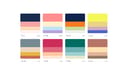
Color Hunt is a hand-picked gallery of color palettes. Fueled by its community, it offers an endless stream of trendy, high-quality schemes—perfect for designers seeking quick color inspiration.

Adobe Color
Adobe Color is a professional color tool deeply integrated into the Adobe ecosystem, combining color theory with powerful accessibility features for systematic color management.
CSS Gradient
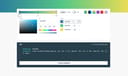
CSS Gradient transforms the task of writing complex CSS gradients into a simple, efficient, visual process, making it an essential code generator for front-end developers and designers.