CSS Gradient
CSS Gradient transforms the task of writing complex CSS gradients into a simple, efficient, visual process, making it an essential code generator for front-end developers and designers.
Product Overview
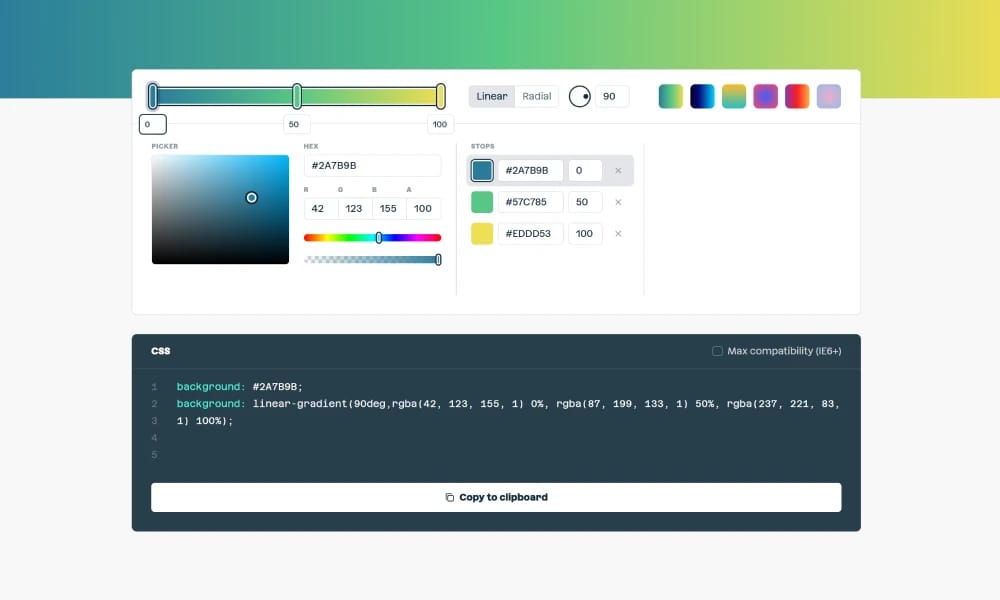
CSS Gradient (cssgradient.io) is a powerful, intuitive, and free online tool designed specifically to help web designers and developers create beautiful CSS gradient backgrounds with ease. A "What You See Is What You Get" Visual Editor: This is its core experience. Through a highly intuitive interface, you can add, remove, and move color stops, and change colors, angles, and gradient types (linear, radial) in real-time. All adjustments are instantly reflected in the preview area, providing a true WYSIWYG workflow. One-Click Code Generation: Once you've designed your gradient, the tool automatically generates clean, standards-compliant CSS code, complete with cross-browser compatibility prefixes. You just need to click the "Copy Code" button and paste it directly into your project, making it incredibly efficient. A Rich Library of Presets and Inspiration: If you're looking for inspiration, the site also offers a content-rich gallery of beautiful pre-made gradient schemes. You can use these presets as-is or modify them to kickstart your design. More Than Just Gradients: Beyond the core gradient generator, it also provides related handy utilities like gradient background patterns and color palettes, making it a focused CSS visual toolbox.
Best For
2. One-Click Code Generation: Once you've designed your gradient, the tool automatically generates clean, standards-compliant CSS code, complete with cross-browser compatibility prefixes. You just need to click the "Copy Code" button and paste it directly into your project, making it incredibly efficient. 3. A Rich Library of Presets and Inspiration: If you're looking for inspiration, the site also offers a content-rich gallery of beautiful pre-made gradient schemes. You can use these presets as-is or modify them to kickstart your design. 4. More Than Just Gradients: Beyond the core gradient generator, it also provides related handy utilities like gradient background patterns and color palettes, making it a focused CSS visual toolbox.
Key Features
- 1. A "What You See Is What You Get" Visual Editor: This is its core experience. Through a highly intuitive interface, you can add, remove, and move color stops, and change colors, angles, and gradient types (linear, radial) in real-time. All adjustments are instantly reflected in the preview area, providing a true WYSIWYG workflow.
- 2. One-Click Code Generation: Once you've designed your gradient, the tool automatically generates clean, standards-compliant CSS code, complete with cross-browser compatibility prefixes. You just need to click the "Copy Code" button and paste it directly into your project, making it incredibly efficient.
- 3. A Rich Library of Presets and Inspiration: If you're looking for inspiration, the site also offers a content-rich gallery of beautiful pre-made gradient schemes. You can use these presets as-is or modify them to kickstart your design.
- 4. More Than Just Gradients: Beyond the core gradient generator, it also provides related handy utilities like gradient background patterns and color palettes, making it a focused CSS visual toolbox.
Pros
- +Free to use
- +Real-time collaboration
- +Color palette generation
- +Export to CSS/design tools
Cons
- -Limited to color generation only
- -May require learning curve
/// SPECS
- Pricing:Free

uiGradients
A Simple and Pure Gradient Inspiration Library

Color Namer
An interesting tool that finds a vivid, descriptive name for any hex color code.
Coolors
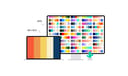
Your Ultimate Color Palette Generator

Huemint
The AI Color Palette Generator for Real-World Use Cases
Colorhunt
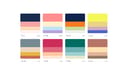
Color Hunt is a hand-picked gallery of color palettes. Fueled by its community, it offers an endless stream of trendy, high-quality schemes—perfect for designers seeking quick color inspiration.

Adobe Color
Adobe Color is a professional color tool deeply integrated into the Adobe ecosystem, combining color theory with powerful accessibility features for systematic color management.
Eva Design System
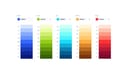
A deep learning color generator providing multi-gradient color schemes for brand and semantic colors.
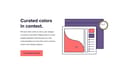
Happy Hues
Learn Color Palettes in a Real-World Context
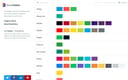
BrandColors
The Official Color Code Library for the World's Biggest Brands