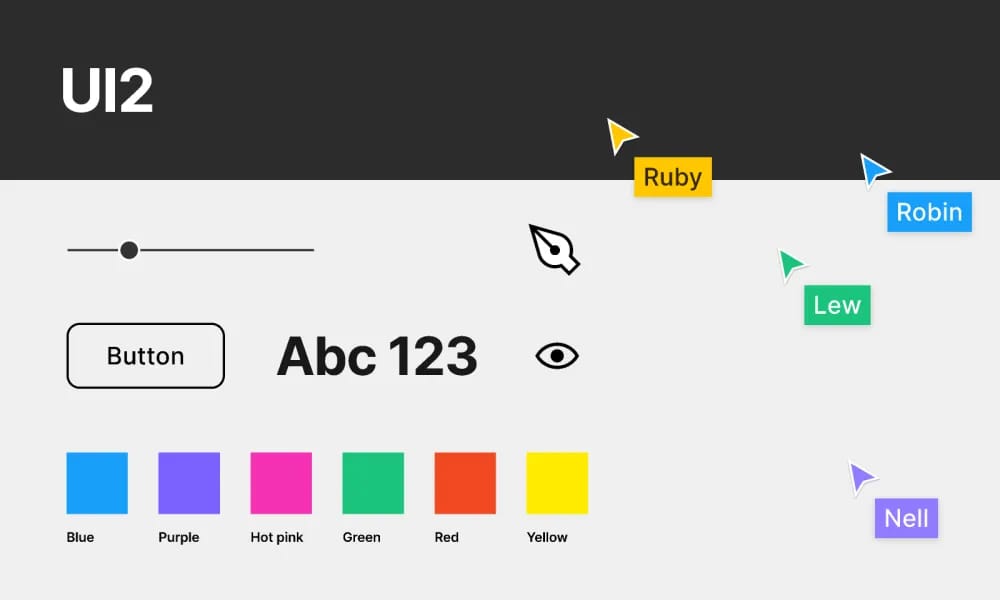
Figma UI2
Figma's official design system for consistent, accessible product interfaces.
Product Overview
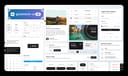
UI2 is Figma's internal and community-shared design system, powering Figma's own product interfaces with reusable components, patterns, and guidelines to ensure consistency, accessibility, and scalability. Launched as the evolution of Figma's design language, it includes a comprehensive Figma file with auto-layout components, design tokens, and best practices for building intuitive tools. The system is partially open through community files, allowing designers to explore and adapt Figma's approach for their own projects. Component Library: Core elements like buttons, inputs, modals, navigation, and complex widgets (e.g., canvas tools) with variants for states and themes. Design Tokens: Semantic colors, typography, spacing, shadows, and motion for unified styling. Accessibility: WCAG-compliant with focus states, contrast ratios, and keyboard navigation. Figma-Native: Full auto-layout, variables, and interactive components for advanced prototyping.
Best For
Teams building scalable, consistent digital products.
Key Features
- Component Library: Core elements like buttons, inputs, modals, navigation, and complex widgets (e.g., canvas tools) with variants for states and themes.
- Design Tokens: Semantic colors, typography, spacing, shadows, and motion for unified styling.
- Accessibility: WCAG-compliant with focus states, contrast ratios, and keyboard navigation.
- Figma-Native: Full auto-layout, variables, and interactive components for advanced prototyping.
Pros
- +Color palette generation
- +Accessibility contrast checking
- +Smooth animation capabilities
- +Comprehensive design system
Cons
- -Adoption requires team alignment
- -Customization can be complex
/// SPECS
- Pricing:Free
- Platform:Browser
GOV.UK Design System
official UK government framework for consistent, accessible public service interfaces.

Horizon Design System
HashiCorp's open-source design system for consistent, accessible cloud management interfaces.
Material Design
Google's open-source design system for consistent, intuitive interfaces across platforms.

Microsoft Teams UI Kit
Figma-based components and templates for designing consistent Teams apps.

Moon Design System
open-source UI framework for consistent, customizable digital experiences.
NativeBase Design System
open-source UI component library for React Native with customizable, accessible cross-platform designs.

NewsKit
News UK's open-source design system for consistent, accessible digital news experiences.

Orbit
Kiwi.com's open-source design system for consistent, accessible travel booking interfaces.
gluestack-ui
open-source universal React UI library with customizable, accessible components for web and native apps.

Goldman Sachs Design System
internal framework for consistent, accessible enterprise financial interfaces.