Pencil
An AI-powered collaborative design canvas that lives directly inside your code editor.
Product Overview
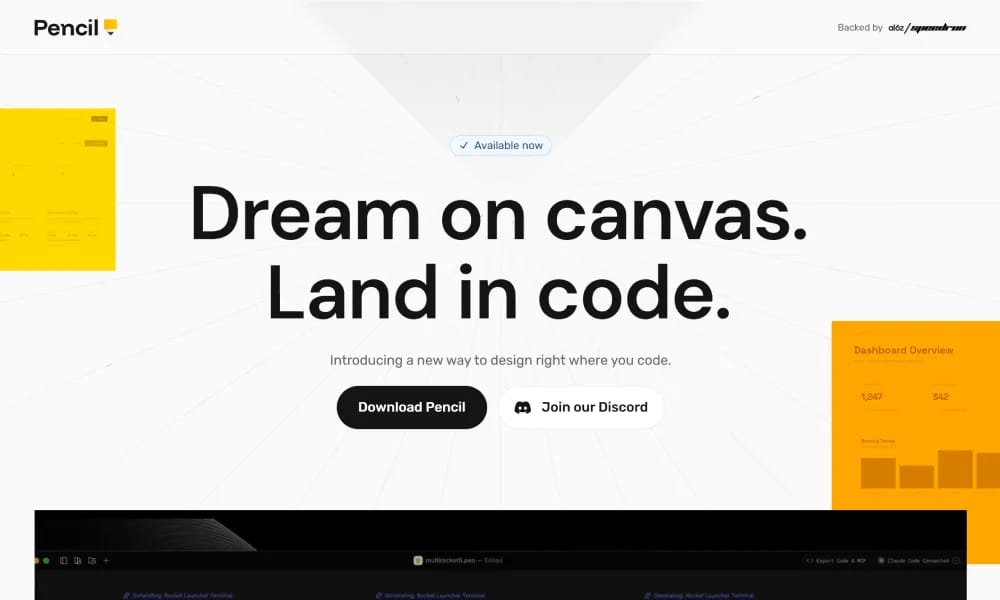
Pencil.dev is a pioneering design tool built for the "Vibe Coding" era. Rather than being a standalone drawing app, it functions as an extension within IDEs like Cursor and VS Code. It brings an infinite design canvas into the development environment, allowing design files to be stored in the repository and managed with Git versioning, branching, and merging. Key Features: In-IDE Design Canvas: Design with pixel-perfect precision without leaving your editor, keeping code and design just one tab-click apart. AI-Driven Generation: Use AI agents and prompts to generate screens or entire flows directly on the canvas, leveraging the Model Context Protocol (MCP) for full AI interaction. Seamless Figma Import: Supports direct copy-pasting from Figma, bringing over vectors, text, and styles intact. Design as Code: Design files reside in your repo, syncing with React/HTML code to ensure the production app stays true to the design.
Best For
Best for design-minded developers and vibe-coders who want to create and iterate on designs directly inside their code editor without switching between standalone design tools.
Key Features
- Infinite design canvas embedded directly inside VS Code and Cursor IDEs, enabling designers to create and edit within the development environment
- Design files stored as code in the repository, allowing version control, code review, and branching for design iterations alongside engineering work
- Component-linked design layers that automatically reflect changes from code updates and vice versa, maintaining bidirectional synchronization
- Export to standard design formats including SVG, PNG, and design tokens for handoff to external tools when needed
- Built specifically for the vibe coding era, enabling real-time preview of design changes alongside live code execution in the same window
- Lightweight performance-focused architecture that operates smoothly within the IDE without the bloat of standalone design applications
Pros
- +Unprecedented design-in-code workflow where design files live in the repository, enabling true version control and PR-based design review
- +Eliminates the context switch between design tools and code editors, keeping the entire creative process within the development environment
- +Bidirectional component linking ensures design changes never go out of sync with implementation, solving a chronic design-engineering alignment problem
Cons
- -Currently limited to Cursor and VS Code extensions, excluding developers who use other IDEs like JetBrains, Sublime Text, or WebStorm
- -Paradigm shift from standalone design tools may feel unfamiliar to designers accustomed to Figma, Sketch, or Adobe XD workflows
/// SPECS
- Pricing:ProFree
- Platform:Browser
- Free tier available, premium features paid

Riverside
Riverside AI transcription service for free unlimited audio/video to text in 100+ languages.

Joyland
Free NSFW AI roleplay platform for chatting with custom virtual companions.

Typeless
An intelligent assistant that transforms spontaneous speech into polished text in real-time.

Tempo
An AI-powered platform for building React apps 10x faster using a visual code editor.

builder.io
An AI-powered visual development platform that transforms designs directly into production-ready code.

Ppcy
A design curation platform featuring unique visual references and cutting-edge interactive inspiration.

OpenClaw
An open-source personal AI assistant that runs locally and performs tasks via your favorite chat apps.

anirole
An AI platform for real-time anime art generation and immersive character roleplay.

Dreamina
An AI creative suite that transforms prompts and images into high-quality art and videos.

Quiver
An AI creative canvas that transforms sketches and prompts into high-quality vector graphics.