TinyWow
TinyWow offers a large collection of free online tools, covering PDF, image, video, and other file processing functions.
Product Overview
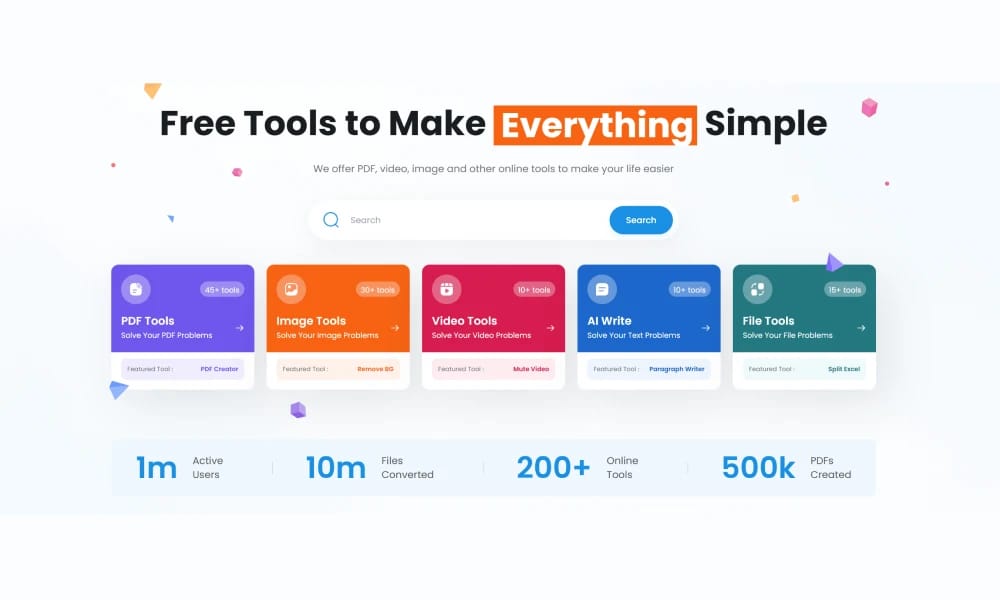
TinyWow is a website that provides a wide array of free online tools, designed to help users process various file and media types. Its content and functionalities are categorized into several main groups: PDF Tools: Includes PDF merge, split, compress, convert (PDF to Word/Excel/JPG, etc.), PDF edit, encrypt/decrypt PDF, and more. Image Tools: Offers image background remover, image upscaler, image compressor, image format converter, image watermark adder/remover, image generator (AI), image cropper, filter application, etc. Video Tools: Covers video cutter, video compressor, video format converter, video to GIF, extract audio from video, and more. File Tools: Provides file compressor, file format converter, file merger, file preview, etc. AI Tools: Includes Text to Image, Rewrite Article, AI writing assistant, AI chatbot, and more. Other Tools: Such as website screenshot, QR code generator, URL shortener, etc. All tools on TinyWow can be used online for free, with no software download or account registration required. It is an efficient, convenient, and comprehensive tool platform suitable for students, designers, office workers, and any individual user needing to quickly process files and media.
Best For
Best for students, office workers, and casual users who need quick, free file processing tools without installing software or creating accounts.
Key Features
- 250+ free online tools covering PDF, image, video, audio, and document processing
- AI-powered tools including text-to-image, article rewriting, and AI chat assistant
- No account registration or software download required for any tool
- Batch processing for PDF compression, image resizing, and file conversion
- Compression tools that reduce file size while maintaining quality
- Utility tools including screenshot capture, QR code generator, and URL shortener
Pros
- +Completely free with no registration, downloads, or hidden costs
- +Comprehensive toolset covering PDFs, images, videos, and AI tasks in one place
- +Fast processing times with server-side computation
Cons
- -Free tier has daily usage limits and file size restrictions
- -Output quality on some AI tools may lack compared to specialized services
/// SPECS
- Pricing:ProFree
- Free tier available, premium features paid

Experte Background Remover
Experte.com offers a free online tool for automatically removing image backgrounds.

Pixian
Pixian.ai is a professional online background removal tool, utilizing advanced AI technology to provide precise, high-quality intelligent cutout services for image backgrounds.

RestorePhotos
RestorePhotos.io offers a free online photo restoration service, utilizing AI technology to intelligently repair old photographs, enhancing image quality and details.

Upscayl
Upscayl is a free and open-source desktop application that uses AI to losslessly upscale and enhance the quality of low-resolution images.

Palette
Palette.fm is an online tool that uses artificial intelligence to automatically colorize black and white photographs.

ImgUpscaler
ImgUpscaler is an online AI tool for losslessly upscaling images and enhancing their quality.

FocoClipping
FocoClipping is an online tool that utilizes AI for intelligent image cutout and editing.

Nano Banana
Nano Banana is an AI-powered image generation and editing tool developed by Google, built on the Gemini 2.5 Flash model.

Google Labs Whisk
Google Whisk is an experimental AI tool from Google Labs.

PicWish
PicWish is a powerful online image processing tool, offering services like background removal, image retouching, and enhancement, empowering users to easily edit pictures.