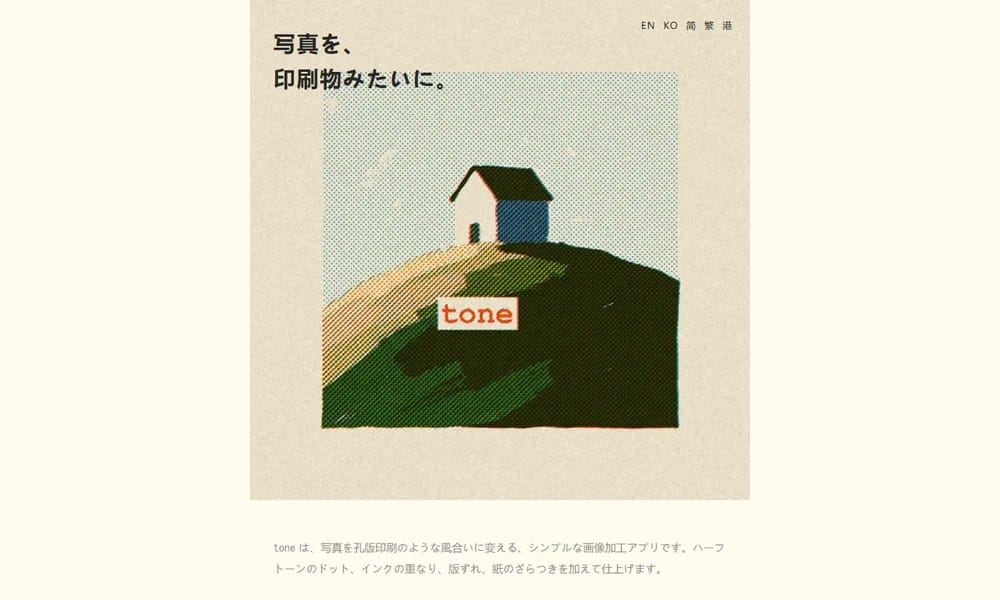
Turn your photos into risograph-style prints on iPhone
Product Overview
tone is an iPhone app that transforms your photos into vibrant risograph-style prints. It emulates the look of classic Riso printing — halftone dots, layered spot colors, and the slight offset that gives screen-printed work its charm. Choose from 1 to 3 spot colors and watch your image break down into clean separated layers, just like a real press job. The app lets you fine-tune each color layer, preview the dot pattern, and export the final print-ready output — or share it straight to social media. With both one-click presets and deep manual controls, tone is a pocket risograph press for illustrators, print designers, and anyone who loves the tactile look of analog printing.
Best For
Best for illustrators, print designers, and creatives who want the risograph look from their iPhone
Key Features
- Risograph-style halftone and spot-color rendering
- 1 to 3 spot color layers per print
- Clean separated color layers like a real press run
- Fine-tune each layer's density and dot pattern
- Print-ready and social-ready export
- One-click presets plus deep manual controls
- Runs fully on-device on iPhone
Pros
- +Authentic riso look without a real press
- +Simple enough for anyone, deep enough for print designers
- +Fast on-device processing
- +Great for posters, zines, and social posts
Cons
- -iOS only
- -Limited to 3 spot colors per print
- -Advanced features behind in-app purchase
/// SPECS
- Pricing:ProFree
- Platform:iOS
- Free to use with in-app unlock

Mokker AI
AI product photo background generator
UXie.io
Free design tool collection for developers

AI Emojis
Generate unique emojis with artificial intelligence

NightCafe
AI art generation platform with multiple models

LOGGGOS
Curated logo design inspiration gallery
Koboyo Icons
130,000+ free hand-drawn SVG icons with an AI canvas
Humation
Generate cute hand-drawn avatars for your profile or brand

Tree.ICQR
Turn any link into a stunning 3D tree that doubles as a scannable QR code

Photon Studio
A free desktop image editor with layers, retouching, and native PSD support
Compositor
The Photoshop alternative for Mac — free, open source, and always yours