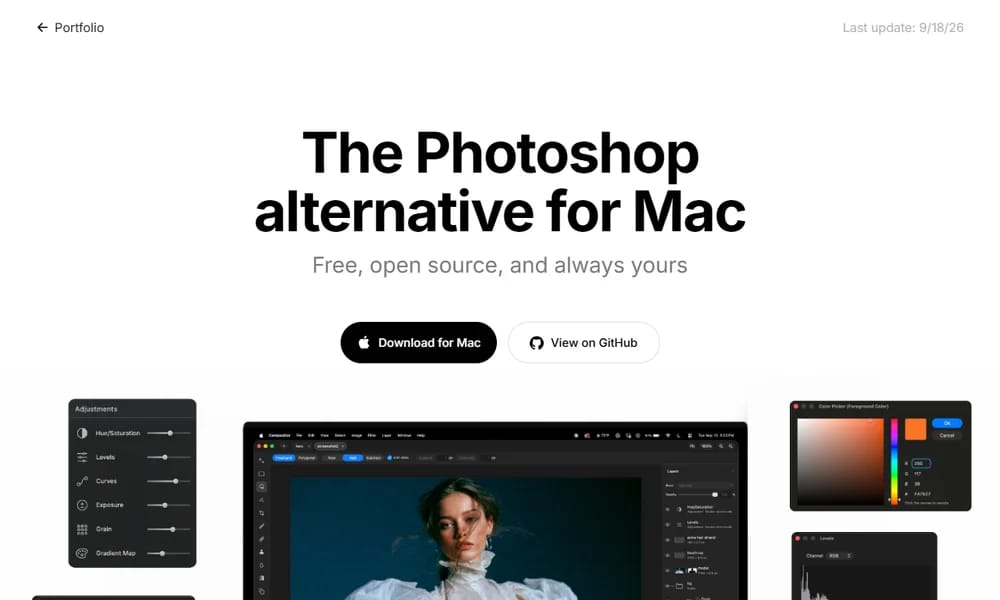
Compositor
The Photoshop alternative for Mac — free, open source, and always yours
Product Overview
Compositor is a free, open source image editor for Mac designed as a lightweight Photoshop alternative for professional compositing and post-processing. Built by Robbie Tilton, it weighs just 12MB. The editor is built around a compositing workflow: layers, folders, layer masks, clipping masks, blend modes, adjustment layers, selection tools, and filters. It includes background removal, Gaussian blur, motion blur, lens correction, grain and noise, liquify and smear, spot healing, clone stamp, and brush tools. Everything is open source — you can download the Xcode project and add, remove, or modify any feature. The goal is a full-featured image editor that is completely free, familiar enough to stay in flow, and produces pixel-perfect final images.
Best For
Best for Mac users who want a free, lightweight, open source alternative to Photoshop for compositing and post-processing
Key Features
- Layers, folders, layer masks, and clipping masks
- Blend modes and adjustment layers
- Selection tools for precise editing
- Background removal, Gaussian blur, motion blur
- Lens correction, grain and noise
- Liquify and smear tools
- Spot healing and clone stamp
- Brush tool
- Free and open source on GitHub
- Lightweight at just 12MB
Pros
- +Free and open source
- +Lightweight and fast at 12MB
- +Purpose-built for compositing workflow
- +Familiar Photoshop-like interface
- +Customizable via Xcode source
Cons
- -macOS only, no Windows or Linux
- -No PSD support mentioned
- -Smaller plugin ecosystem than Photoshop
- -Newer project, still maturing
/// SPECS
- Pricing:Free
- Platform:macOS
- Free and open source on GitHub

Apple Design Resources
Official Apple design templates, UI kits, fonts, and tools
Brilliant
Professional vector design tool you and your AI agents drive together

DesignMD
Extract any website's design DNA into an AI-ready DESIGN.md

Name That UI
The visual dictionary for UI and product designers
tone
Turn your photos into risograph-style prints on iPhone
Koboyo Icons
130,000+ free hand-drawn SVG icons with an AI canvas
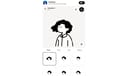
Humation
Generate cute hand-drawn avatars for your profile or brand
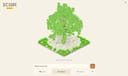
Tree.ICQR
Turn any link into a stunning 3D tree that doubles as a scannable QR code

Photon Studio
A free desktop image editor with layers, retouching, and native PSD support
Textures
Add print, glyph, paper, and painterly textures to images — right in your browser
PhotoCraft
The image editor you already know how to use — free, open source, built in Rust
DesignCraft
Page layout and publishing, rebuilt in pure Rust — free, open source

PdfCraft
The open-source PDF workbench — read, organize, combine, split and secure
FigCraft
Interface design and prototyping, rebuilt in pure Rust — free, open source