Product Overview
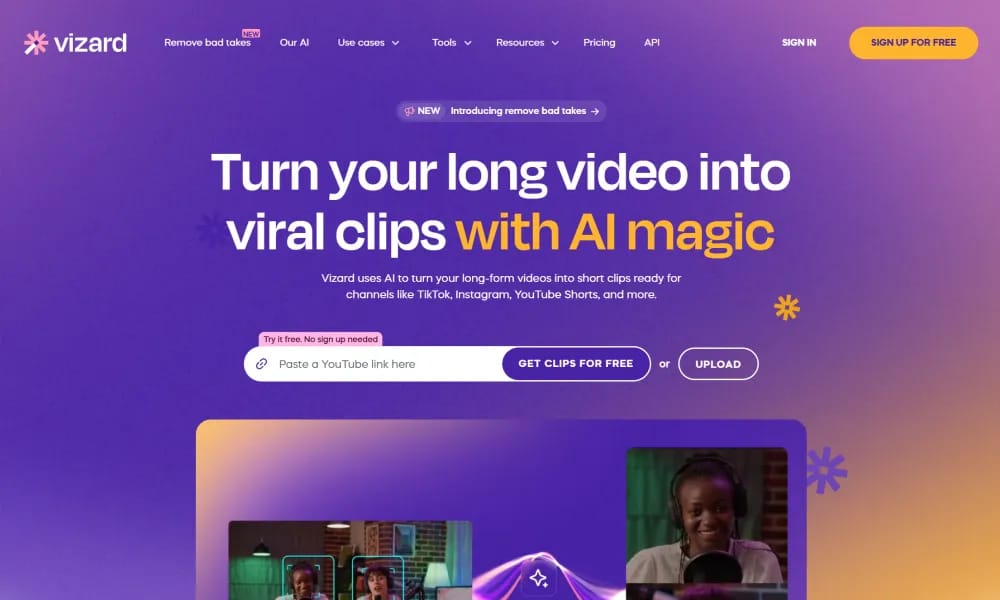
Details and main features: Vizard.ai is an AI-powered video editing and clipping platform designed for content creators, podcasters, YouTubers, and marketers, transforming long-form videos (podcasts, talks, interviews) into engaging short clips optimized for TikTok, YouTube Shorts, Instagram Reels, etc.; after uploading, AI transcribes, detects highlights, generates multiple clips with one click, supports text-based editing (delete transcript segments to cut), animated captions with emojis, translation to 100+ languages, one-click aspect ratio changes, brand templates, collaboration via share links, and direct publishing/scheduling; highlights 10x faster editing, 80% time savings, 5x more views, browser-based, handles videos over 1 hour. Main features AI auto-clipping: Intelligently finds engaging moments and generates multiple short variants. Text-based editing: Edit video by modifying the transcript (cut, delete, rearrange). Captions & translation: Auto animated subtitles, keyword highlighting, 100+ language translation. Platform optimization: One-click reframing, AI B-rolls, AI emojis, auto aspect ratio. Other: Brand kit, custom templates, direct social publishing/scheduling, Google Drive save, team collaboration (Business plan).
Best For
Best for podcasters, content creators, and marketers who need to efficiently extract engaging short clips from long-form content for social media distribution.
Key Features
- AI-powered highlight detection that automatically identifies the most quotable, engaging, and shareable moments from long-form video content
- Auto-caption generation with animated text styles, emoji integration, and keyword highlighting optimized for silent-viewing social feeds
- Multi-platform clip formatting that automatically resizes and reformats content for TikTok, YouTube Shorts, and Instagram Reels
- AI repurposing that extracts multiple short clips from a single long video, each with its own hook, caption, and call-to-action
- Brand kit integration allowing consistent watermarking, color schemes, fonts, and intro/outro sequences across all generated clips
- Team collaboration features with shared project folders, review and approval workflows, and client presentation modes
Pros
- +AI highlight detection dramatically reduces the time spent manually watching and clipping long-form content
- +One-click multi-platform reformatting ensures clips are optimized for every social platform without manual resizing
- +Brand kit consistency across all clips is invaluable for agencies and brands maintaining visual identity at scale
Cons
- -Accuracy of AI highlight detection varies depending on content type with unstructured conversations performing less reliably
- -Higher volume clip generation requires premium subscription plans with associated monthly costs
/// SPECS
- Pricing:ProFree
- Platform:Browser
- Free tier available, premium features paid

Unlucid.ai
Free uncensored AI tool for image generation, editing, and video animation.
Vibemotion
AI tool for quick creation of pro motion graphics videos via chat prompts.
VideoGen
AI video generator creating professional, copyright-free videos from text in minutes.

Vidfly
All-in-one AI platform for generating pro videos and images from text/images.

Vmake
All-in-one AI tool for talking video editing, enhancement, and creation.

Vrew
AI video editor that lets you edit videos like a document for fast creation.

Wavel.ai
All-in-one AI platform for instant video dubbing, subtitles, and multilingual localization.

AI Studios
AI video platform using digital avatars to create pro videos from text.

Mirage
AI platform for generating hyper-realistic short videos with text prompts.

Stability AI
Open-source generative AI platform for high-quality image, video, and audio creation.