Product Overview
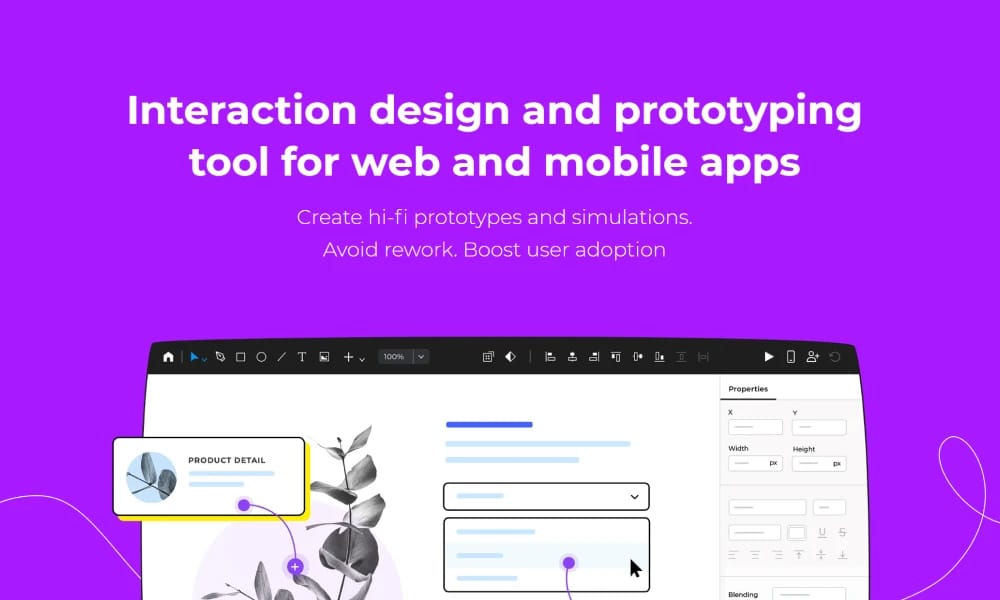
Justinmind is a powerful desktop prototyping tool designed for creating web and enterprise applications with complex interactions, dynamic data, and responsive layouts. Powerful Data Simulation & Forms: Create interactive forms and data grids without code. Simulate real data operations like sorting, filtering, and pagination to accurately represent complex business logic. Full Responsive & Gesture Support: Its robust responsive design features make it easy to preview and test how applications will look and behave on different devices (desktop, tablet, mobile). It also supports a rich set of mobile gestures. One-Click Publishing for User Testing: Publish prototypes to the cloud with a single click, generating a shareable HTML link. This is perfect for remote user testing, gathering feedback, and handing off to development teams. Justinmind is the ideal choice for UX designers and product managers who need to simulate complex web applications and enterprise software. By providing code-level interaction fidelity, it ensures that products are thoroughly validated and iterated upon before a single line of code is written.
Best For
Justinmind is the ideal choice for UX designers and product managers who need to simulate complex web applications and enterprise software. By providing code-level interaction fidelity, it ensures that products are thoroughly validated and iterated upon before a single line of code is written.
Key Features
- Powerful Data Simulation & Forms: Create interactive forms and data grids without code. Simulate real data operations like sorting, filtering, and pagination to accurately represent complex business logic.
- Full Responsive & Gesture Support: Its robust responsive design features make it easy to preview and test how applications will look and behave on different devices (desktop, tablet, mobile). It also supports a rich set of mobile gestures.
- One-Click Publishing for User Testing: Publish prototypes to the cloud with a single click, generating a shareable HTML link. This is perfect for remote user testing, gathering feedback, and handing off to development teams.
Pros
- +Real-time collaboration
- +Cloud-based, no installation needed
- +Interactive prototyping
- +User testing support
Cons
- -May require design experience
- -Advanced interactions need coding
/// SPECS
- Pricing:ProFree
- Free tier available, premium features paid

Framer
The Web Design and Publishing Tool

Lunacy
The Ultimate Free Design

Penpot
The Open-Source Design Platform Built for Freedom

Origami Studio
The Tool for Ultimate Native Prototyping

Pixso
The Next-Generation Collaborative Design Platform

Webflow
The No-Code Platform to Build for the Web

Adobe Photoshop
The Industry Standard for Digital Imaging

Procreate
The Ultimate Digital Art Studio for iPad

UXPin
Where Design Meets Code
ProtoPie
The High-Fidelity Interaction Prototyping Tool