Product Overview
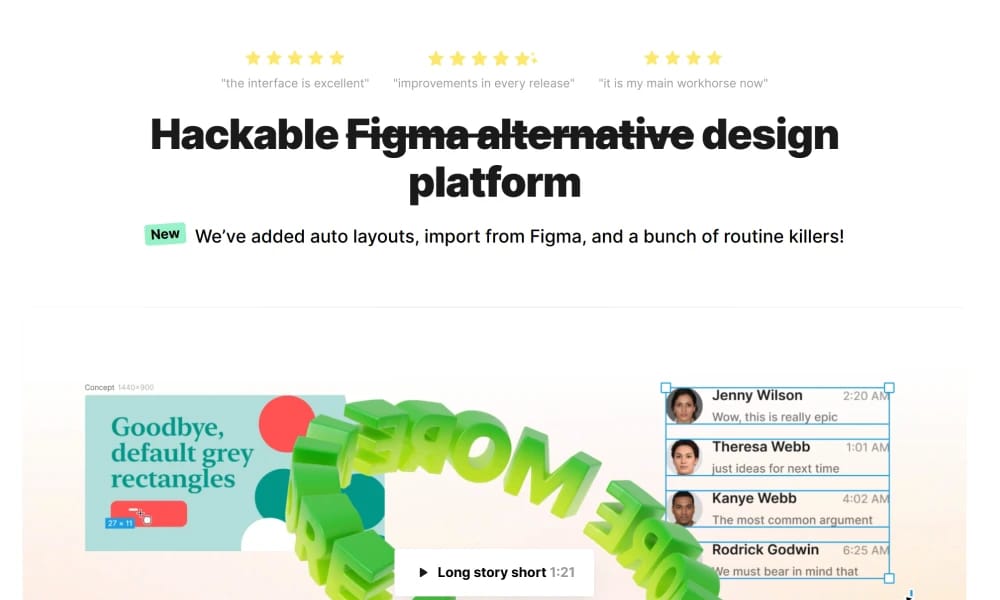
Lunacy is a powerful, free graphic design software renowned for its native support for .sketch files. It runs smoothly on Windows, macOS, and Linux, serving as a Swiss Army knife for designers and developers. Native Sketch Support & Cross-Platform: Seamlessly open, edit, and save .sketch files on Windows and Linux without needing a Mac, effectively breaking the ecosystem barrier and facilitating collaboration for cross-platform teams. Massive Built-in Assets: It comes with millions of free, built-in icons, photos, and illustrations. Designers can find and use high-quality assets directly within their projects without ever leaving the app, boosting workflow efficiency. Powerful AI Assistant: Lunacy is integrated with practical AI features like a background remover, image upscaler, avatar generator, and text generator, automating tedious tasks and allowing designers to focus more on creativity. Lunacy is an excellent choice for Windows and Linux users—especially designers, developers, and product managers who need to work with .sketch files or are looking for a feature-rich, completely free design tool. It perfectly combines professional-grade features with zero cost.
Best For
Lunacy is an excellent choice for Windows and Linux users—especially designers, developers, and product managers who need to work with `.sketch` files or are looking for a feature-rich, completely free design tool. It perfectly combines professional-grade features with zero cost.
Key Features
- Native Sketch Support & Cross-Platform: Seamlessly open, edit, and save `.sketch` files on Windows and Linux without needing a Mac, effectively breaking the ecosystem barrier and facilitating collaboration for cross-platform teams.
- Massive Built-in Assets: It comes with millions of free, built-in icons, photos, and illustrations. Designers can find and use high-quality assets directly within their projects without ever leaving the app, boosting workflow efficiency.
- Powerful AI Assistant: Lunacy is integrated with practical AI features like a background remover, image upscaler, avatar generator, and text generator, automating tedious tasks and allowing designers to focus more on creativity.
Pros
- +Free to use
- +Real-time collaboration
- +Extensive icon library
- +Free for personal and commercial use
Cons
- -May require design experience
- -Advanced interactions need coding
/// SPECS
- Pricing:ProFree
- Free tier available, premium features paid

Framer
The Web Design and Publishing Tool

Penpot
The Open-Source Design Platform Built for Freedom

Justinmind
Prototyping for Enterprise Applications

Origami Studio
The Tool for Ultimate Native Prototyping

Pixso
The Next-Generation Collaborative Design Platform

Webflow
The No-Code Platform to Build for the Web

Adobe Photoshop
The Industry Standard for Digital Imaging

Adobe XD
The All-in-One UI/UX Design Tool

UXPin
Where Design Meets Code
ProtoPie
The High-Fidelity Interaction Prototyping Tool