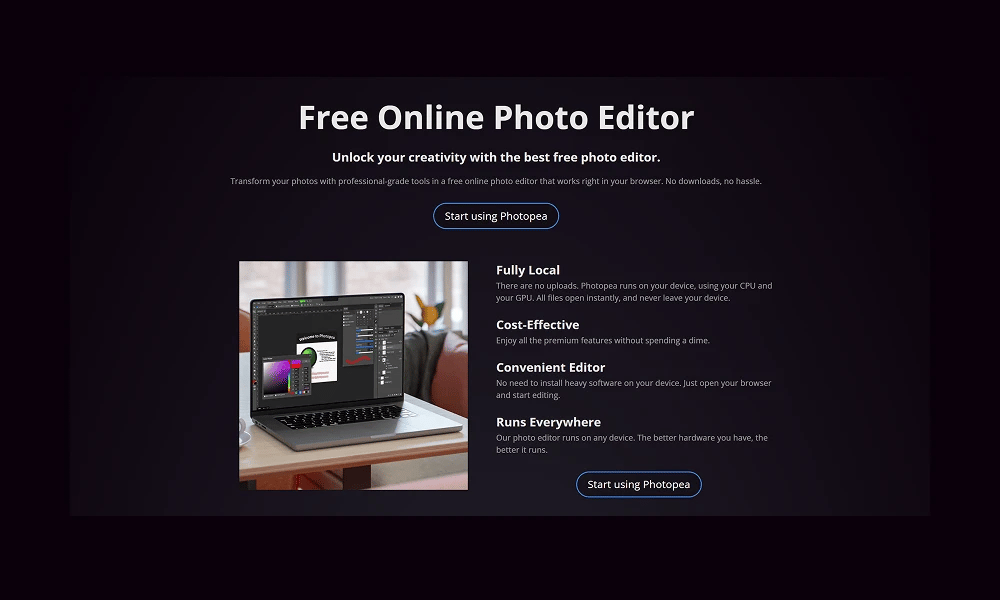
Product Overview
Photopea is an incredibly powerful and completely free advanced online image editor. It requires no installation, runs entirely in your web browser, and is famous for closely mirroring the interface, features, and workflow of Adobe Photoshop. Free & Accessible in the Browser: This is Photopea's primary appeal. You can use it instantly on any computer with a browser (Windows, Mac, Linux, Chromebook) without any downloads or payments. It's ad-supported and free for all users. Incredible File Compatibility: This is its killer feature. Photopea doesn't just handle standard image formats (JPG, PNG, GIF); it can seamlessly open, edit, and save source files from professional design software, including .PSD (Photoshop), .XCF (GIMP), .sketch (Sketch), and .XD (Adobe XD). Familiar UI & Professional Features: For anyone who has ever used Photoshop, the learning curve for Photopea is virtually zero. It provides a full suite of professional-grade features like layers, masks, smart objects, adjustment layers, filters, and path tools, making it more than capable of handling complex editing tasks. Photopea is a true digital Swiss Army knife and an absolute lifesaver for designers, developers, and anyone in need of powerful image manipulation on the fly. Whether you need to quickly edit a PSD file without having Photoshop installed or are looking for a zero-cost, professional-grade photo editor, Photopea offers an unbelievably powerful solution.
Best For
Photopea is a true digital Swiss Army knife and an absolute lifesaver for designers, developers, and anyone in need of powerful image manipulation on the fly. Whether you need to quickly edit a PSD file without having Photoshop installed or are looking for a zero-cost, professional-grade photo editor, Photopea offers an unbelievably powerful solution.
Key Features
- Free & Accessible in the Browser: This is Photopea's primary appeal. You can use it instantly on any computer with a browser (Windows, Mac, Linux, Chromebook) without any downloads or payments. It's ad-supported and free for all users.
- Incredible File Compatibility: This is its killer feature. Photopea doesn't just handle standard image formats (JPG, PNG, GIF); it can seamlessly open, edit, and save source files from professional design software, including .PSD (Photoshop), .XCF (GIMP), .sketch (Sketch), and .XD (Adobe XD).
- Familiar UI & Professional Features: For anyone who has ever used Photoshop, the learning curve for Photopea is virtually zero. It provides a full suite of professional-grade features like layers, masks, smart objects, adjustment layers, filters, and path tools, making it more than capable of handling complex editing tasks.
Pros
- +Free to use
- +Large media library
- +Streamlines workflow
- +Developer-friendly
Cons
- -May have a learning curve
- -Free tier has limited functionality
/// SPECS
- Pricing:ProFree
- Free tier available, premium features paid
Lottie Creator
The Official Animation Tool from LottieFiles
Proto.io
The Ultra High-Fidelity Prototyping Platform for Mobile
Lottielab
The Online Animation Editor Built for Lottie
Adobe Firefly
The Commercially Safe AI for Creative Workflows
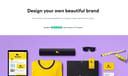
Looka
Your AI-Powered Branding Partner

Microsoft Designer
The AI-Powered Design App
Cavalry
The Procedural Powerhouse for Motion Design

Gamma
The Future of Presentations, Powered by AI
Rive
The Real-Time Interactive Animation Platform
Uizard
The AI-Powered UI Design Tool for Rapid Prototyping