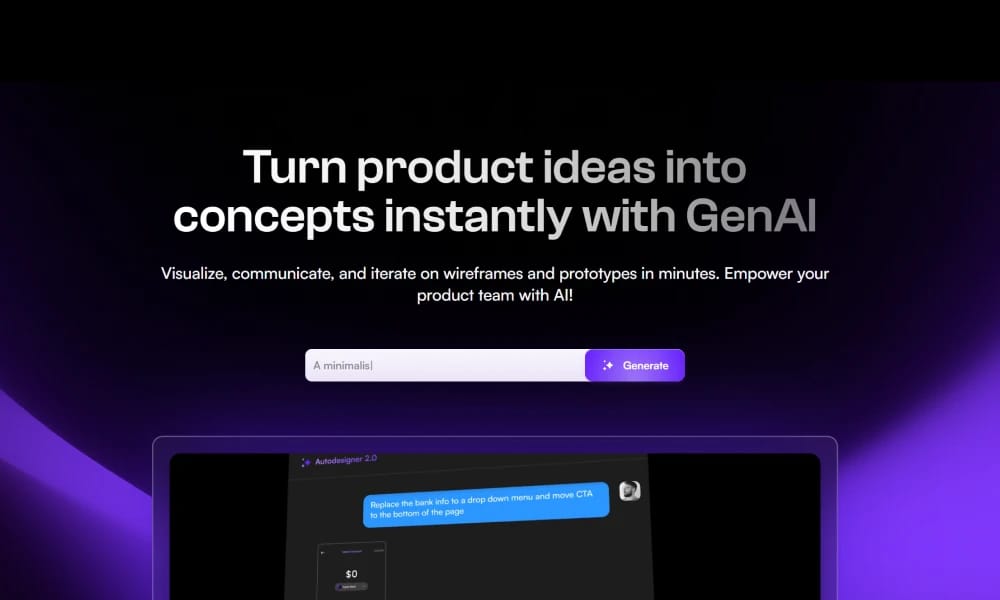
Product Overview
Uizard is a revolutionary AI-powered UI design tool that empowers anyone—whether you're a product manager, founder, or engineer—to transform hand-drawn sketches, text descriptions, or app screenshots into editable, interactive digital product prototypes in minutes. AI Magic: From Sketch to Screen: This is Uizard's most famous feature. Simply take a photo of a wireframe you've sketched on paper or a whiteboard, upload it to Uizard, and the AI will automatically convert it into a clean, editable digital design. Text to UI (Autodesigner): This is its latest powerful feature. Just describe the app you want in plain language (e.g., "an app for tracking pet walks and their duration"), and Uizard's Autodesigner will automatically generate a multi-screen, logical design prototype for you. Massive Templates & AI Theme Generation: Uizard comes with a huge library of pre-made UI templates and components for quick drag-and-drop assembly. Even more magical, you can upload an image or input a URL, and the AI will automatically extract its colors and style to generate a complete design theme for you. Uizard isn't meant to replace high-fidelity design tools like Figma. Its core value lies in dramatically accelerating the "0 to 1" phase of product design. It's the perfect tool for idea validation and rapid prototyping, allowing teams to spend more time refining product logic and user experience instead of drawing basic interface elements.
Best For
Uizard isn't meant to replace high-fidelity design tools like Figma. Its core value lies in dramatically accelerating the "0 to 1" phase of product design. It's the perfect tool for idea validation and rapid prototyping, allowing teams to spend more time refining product logic and user experience instead of drawing basic interface elements.
Key Features
- AI Magic: From Sketch to Screen: This is Uizard's most famous feature. Simply take a photo of a wireframe you've sketched on paper or a whiteboard, upload it to Uizard, and the AI will automatically convert it into a clean, editable digital design.
- Text to UI (Autodesigner): This is its latest powerful feature. Just describe the app you want in plain language (e.g., "an app for tracking pet walks and their duration"), and Uizard's Autodesigner will automatically generate a multi-screen, logical design prototype for you.
- Massive Templates & AI Theme Generation: Uizard comes with a huge library of pre-made UI templates and components for quick drag-and-drop assembly. Even more magical, you can upload an image or input a URL, and the AI will automatically extract its colors and style to generate a complete design theme for you.
Pros
- +AI-powered automation
- +Automated content generation
- +Real-time collaboration
- +Ready-to-use templates
Cons
- -Results may require manual refinement
- -Accuracy depends on input quality
/// SPECS
- Pricing:ProFree
- Free tier available, premium features paid
Lottie Creator
The Official Animation Tool from LottieFiles

Proto.io
The Ultra High-Fidelity Prototyping Platform for Mobile
Lottielab
The Online Animation Editor Built for Lottie

Adobe Firefly
The Commercially Safe AI for Creative Workflows
Looka
Your AI-Powered Branding Partner

Microsoft Designer
The AI-Powered Design App
Meshy
The AI Generation Suite for 3D Creation

Gamma
The Future of Presentations, Powered by AI

Photopea
The Free, Browser-Based "Photoshop"

Wix
The All-in-One Website Builder for Everyone